
Connector


Analyze LinkedIn Pages Data in Google Sheets
Use Google Sheets as a reporting destination for LinkedIn Pages data collected with OWOX Data Marts. Store raw social data in a data warehouse, then reuse it in Sheets for analysis, reporting, and trend tracking.
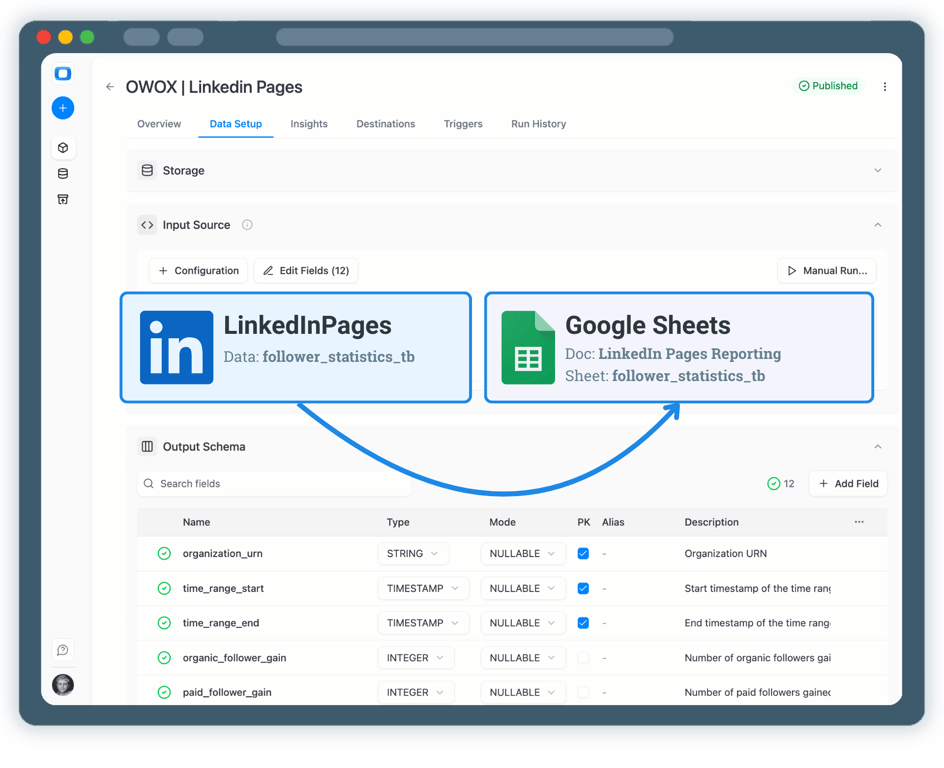
The analytics system teams actually use
Marketplace users
175K+
teams running OWOX from the Google Workspace Marketplace
G2 rating
4.9
296 verified reviews on G2
Connector downloads
156K+
open-source connector installs via npm
GitHub stars
231
the platform is open source — star it, fork it, self-host it
S01 · Step 1
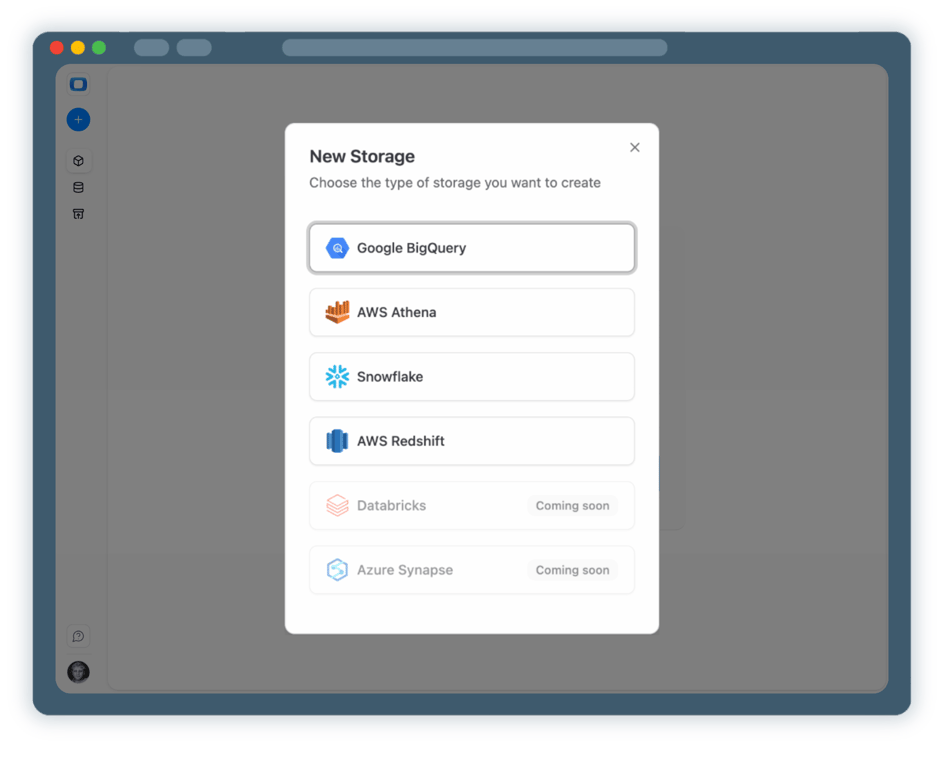
Step 1: Select a Data Storage
Start by connecting a data storage where your LinkedIn Pages data will be collected.
- Choose a data warehouse such as BigQuery or Snowflake
- Store raw page, post, and follower statistics
- Keep full ownership and control over your social data
S02 · Step 2
Step 2: Create a LinkedIn Pages Data Mart
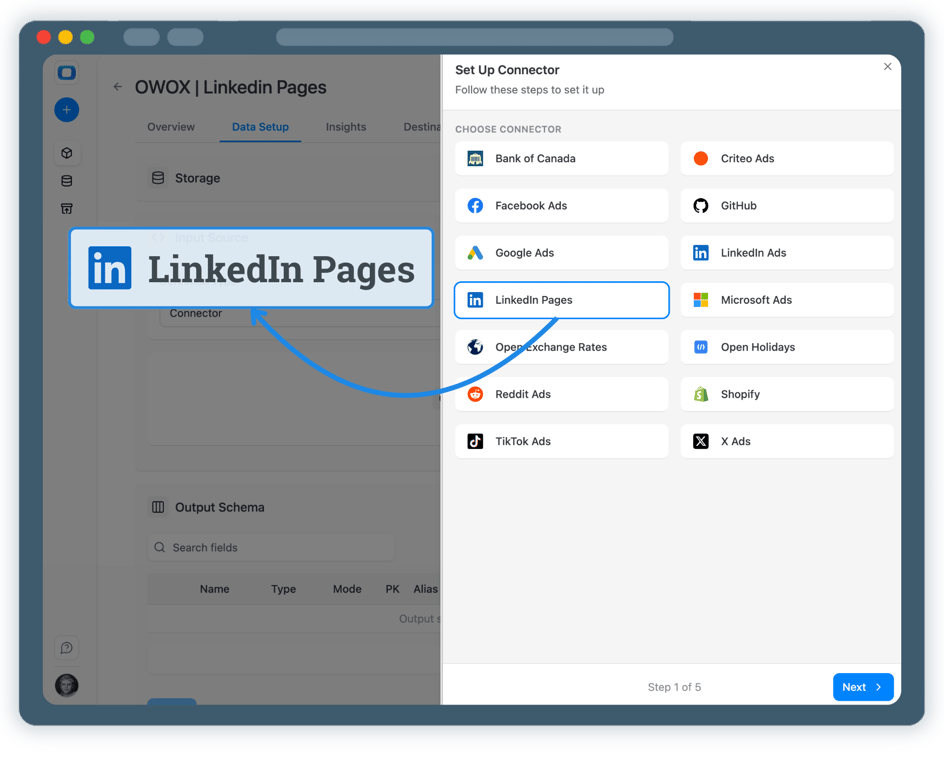
Create a new Data Mart and choose Connector as the definition type.
- Select LinkedIn Pages as the data source
- Enter your Organization URN to identify the LinkedIn Page
- Authorize access to your Linkedin Page by adding an access token
S03 · Step 3
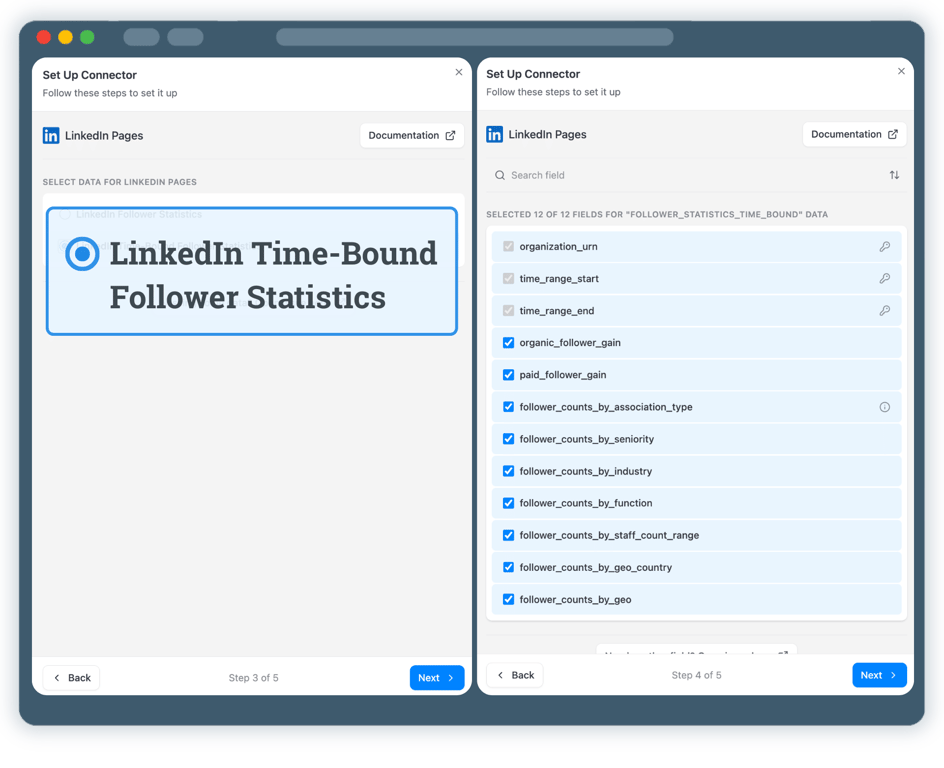
Step 3: Select API Endpoint & Fields
Choose exactly which LinkedIn Pages data should be collected.
- Select the follower_statistics_time_bound endpoint
- Collect follower growth, page views, and engagement metrics
- Define the dataset and table where data will be stored
S04 · Step 4
Step 4: Run & Schedule LinkedIn Pages Data Collection
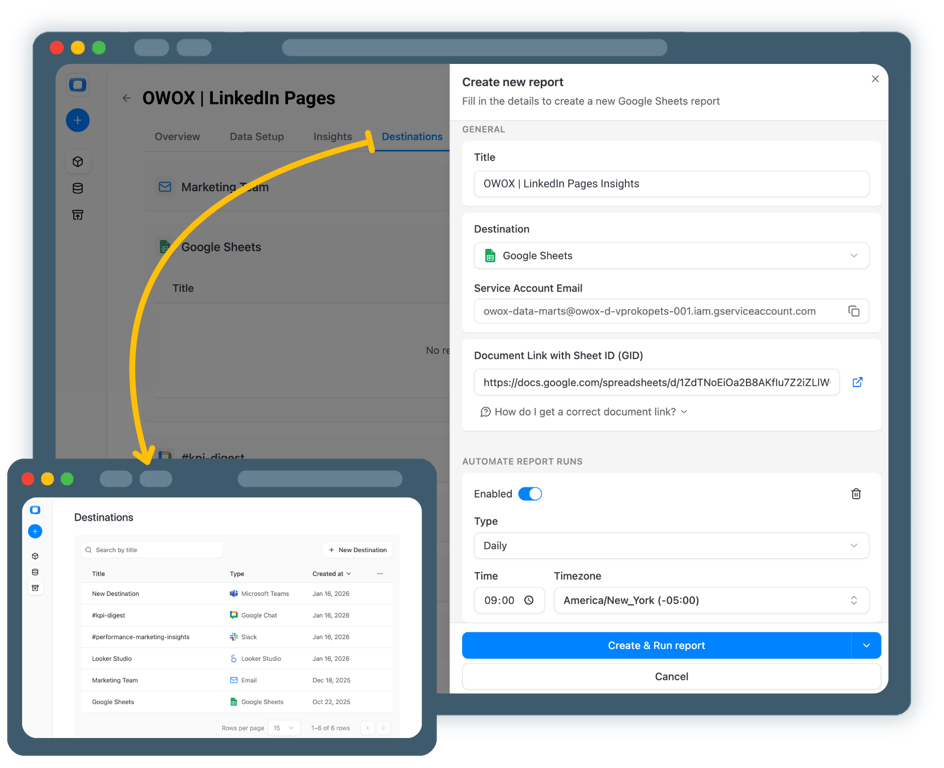
Now it’s time to enable your LinkedIn Pages data in Google Sheets.
- Add Google Sheets as a Destination
- Create a new Google Sheets document, share it, then Create & Run your report
- Enable regular updates to keep follower and engagement data fresh
S05 · Step 5
Step 5: Get more from your LinkedIn Pages Analytics
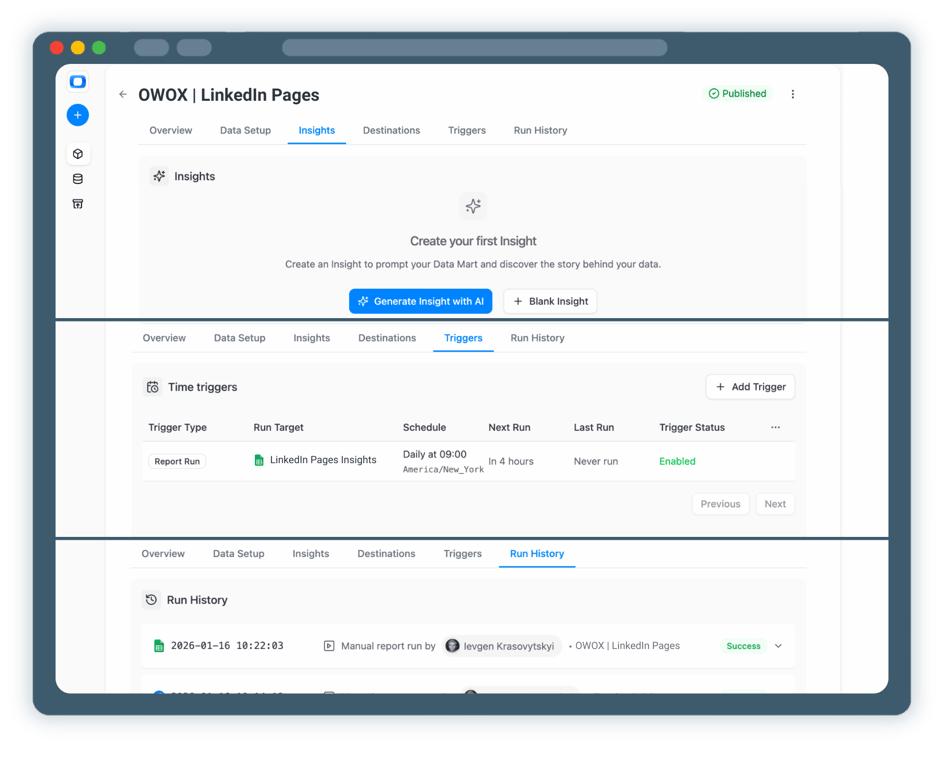
Your LinkedIn Pages data is now available for analysis in Google Sheets. But why stop here?
- Track follower growth, engagement, and content performance over time
- Blend LinkedIn Pages data with LinkedIn Ads, GA4, or CRM data
- Enable LinkedIn Pages AI Insights delivered on a schedule to Slack, MS Teams, or by Email
Related connectors



What users are saying
Every claim has a receipt.
Real things real customers said — each quote pinned to a specific claim, straight from the quotes database.
 Nodari RizunFounder & CEO, Pürblack®
“AI, by the nature of the models, will hallucinate. And because of that, you need something which will create guardrails to ensure that there are no hallucinations, that you can trust your data.”
 Mark SimmonsCMO, Pürblack®
“We had six or seven different channels and no single source of truth — it was almost impossible, a lot of guesswork.”
Nodari RizunFounder & CEO, Pürblack®“We regained time. And time is the one resource that never comes back.”