
Data storage

Databricks + OWOX Data Marts. Spreadsheet reporting and AI Insights on autopilot.
Build data marts on Databricks. Automate reporting to Google Sheets and BI tools. Get AI Insights delivered to Slack, email, or Teams.
The analytics system teams actually use
Marketplace users
175K+
teams running OWOX from the Google Workspace Marketplace
G2 rating
4.9
296 verified reviews on G2
Connector downloads
156K+
open-source connector installs via npm
GitHub stars
231
the platform is open source — star it, fork it, self-host it
Available connectors12
Available connectors




How it works
R01 · Data storage
What is Databricks data storage?
Good analytics starts with data ownership. You don’t own your business data until it lives in your own lakehouse — not inside ad platforms or CRMs.
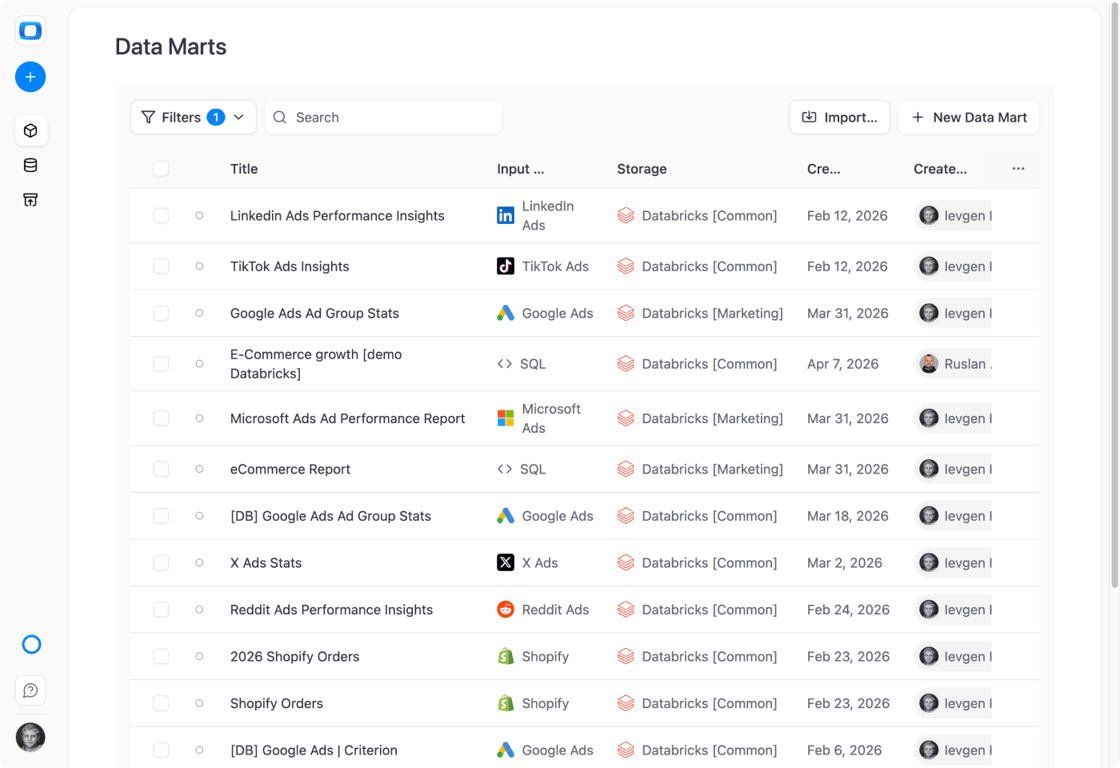
- Collect raw data from ad platforms, CRMs, and tools into Databricks
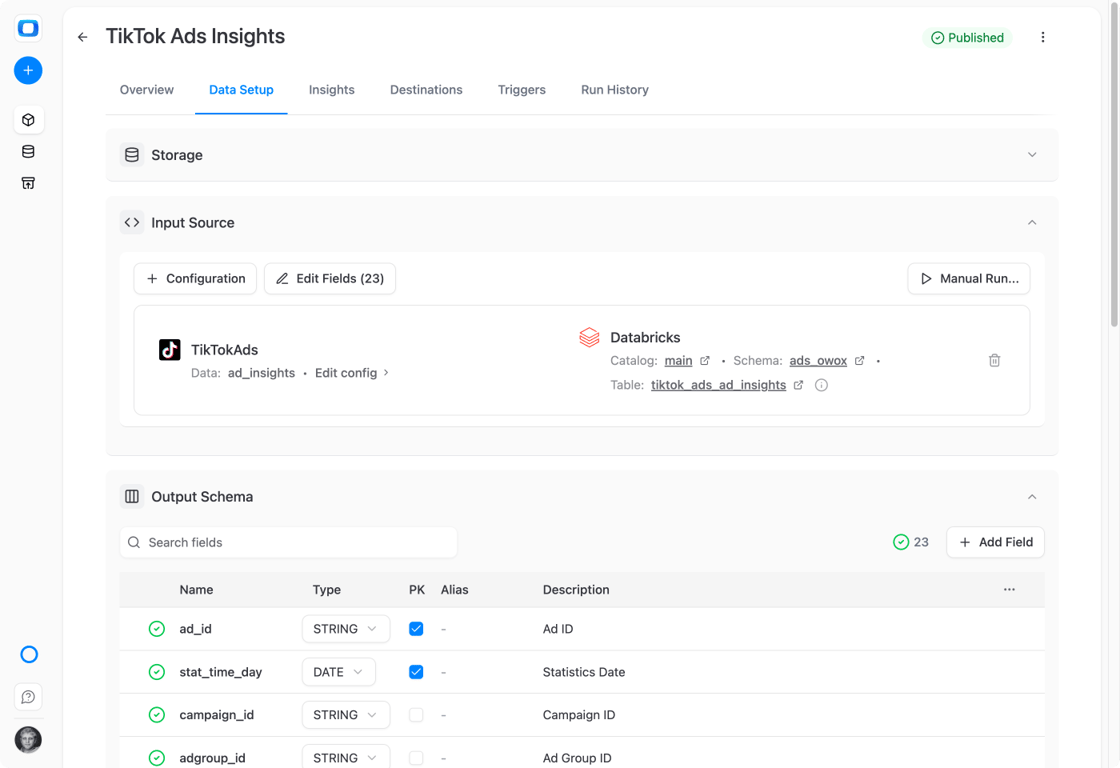
- Model it into trusted data marts using SQL, tables, or views
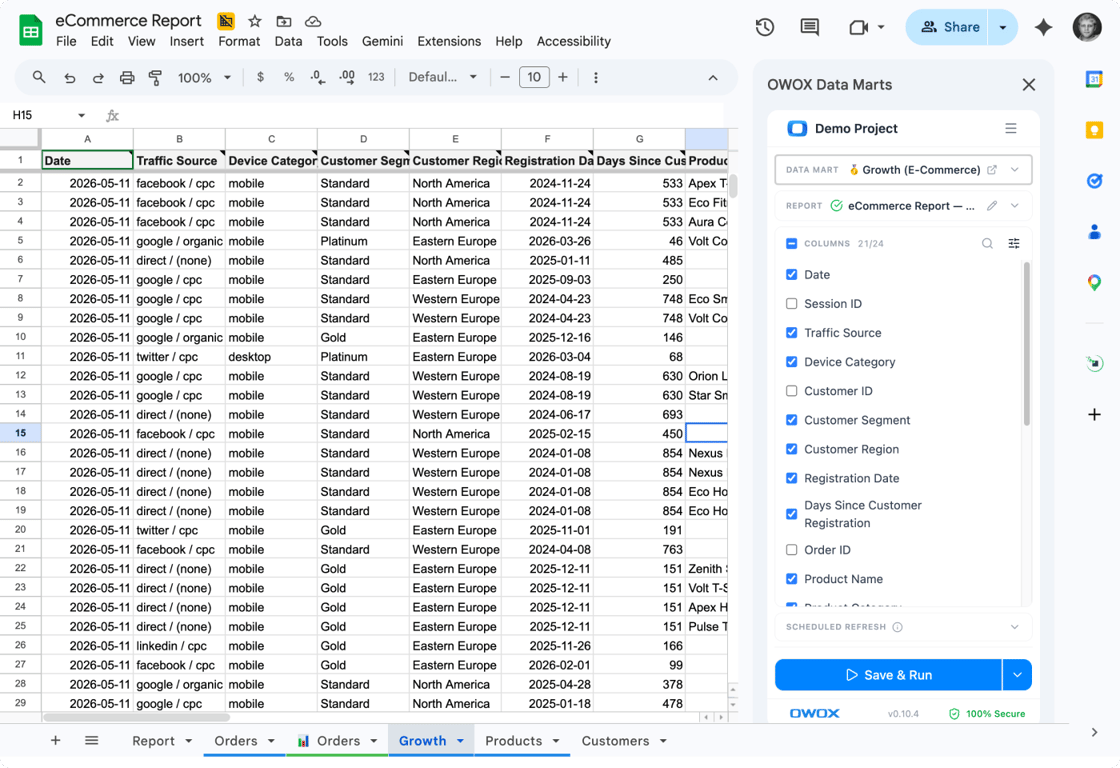
- Reuse the same marts across Sheets, Looker Studio, and AI Insights
R02 · Who it is for
Who is Databricks with OWOX for?
Teams running on Databricks who want one platform powering all reports, dashboards, and insights — without duplicating logic across tools.
- Data engineering teams running analytics on Databricks
- Marketing and finance teams needing consistent reporting
- Companies building self-service analytics with AI Insights
R03 · Why teams pick OWOX
Why use OWOX Data Marts with Databricks?
Databricks is built for data engineering and ML. But your marketing, sales, and finance teams can’t self-serve from a lakehouse notebook. OWOX bridges the gap — define a data mart in SQL, and OWOX handles delivery to spreadsheets, dashboards, and AI-powered summaries.
R04 · How it works
How to use Databricks with OWOX Data Marts
- Store all business data in Delta Lake on Databricks
- Build reusable Data Marts using SQL, tables, or views
- Reuse the same Databricks data across BI tools
- Power dashboards, spreadsheets, and AI Insights
- Align analytics, reporting, and Insights on one data layer
- Schedule insights and reports without rewriting logic
S02 · Why teams pick OWOX
Why OWOX as a companion to Databricks
One data warehouse, full picture
All your business data in Databricks — one lakehouse for ownership, governance, and consistency.
Raw detail, no sampling
Full granularity from every platform stored in Delta Lake — no sampling, no aggregation loss.
Always fresh
Refresh on your schedule: hourly, daily, or every 15 minutes.
Less rework, more output
Model data once at the lakehouse level. No duplicated pipelines or broken dashboards.
Reusable across tools
Same data marts work in Sheets, Looker Studio, Power BI — no logic rebuilds.
Confident decisions
Trusted, centralized data means fewer debates and faster action across teams.
What users are saying
Not testimonials. Comment threads.
Real things real customers said — each quote pinned to a specific claim, straight from the quotes database.
 Nodari RizunFounder & CEO, Pürblack®
“AI, by the nature of the models, will hallucinate. And because of that, you need something which will create guardrails to ensure that there are no hallucinations, that you can trust your data.”
 Mark SimmonsCMO, Pürblack®
“We had six or seven different channels and no single source of truth — it was almost impossible, a lot of guesswork.”
Nodari RizunFounder & CEO, Pürblack®“We regained time. And time is the one resource that never comes back.”