
Feature
Spreadsheet Reporting
A window to corporate data — straight from Google Sheets
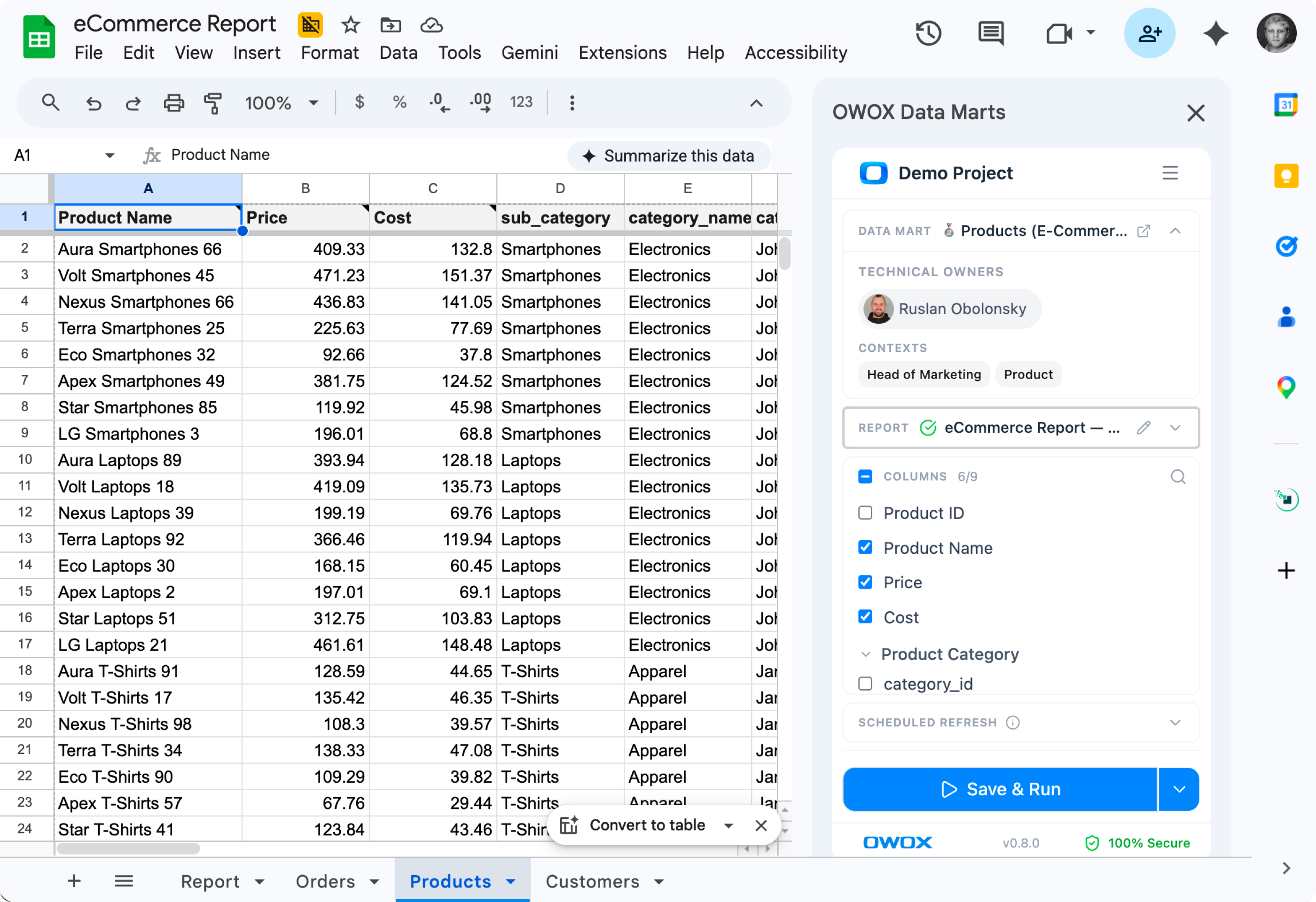
Push governed Data Marts to a Sheet on a schedule, or let business users pull them on demand from inside Google Sheets. Joinable columns work in both pathways — without a line of SQL.
Get started freeRead the docs →
The analytics system teams trust
Marketplace users
175K+
teams running OWOX from the Google Workspace Marketplace
G2 rating
4.9
296 verified reviews on G2
Connector downloads
156K+
open-source connector installs via npm
GitHub stars
231
the platform is open source — star it, fork it, self-host it
One Feature, Two Pathways
Spreadsheet reporting that finally fits your team
The data team pushes governed Data Marts to a Sheet on a schedule. Business users open Sheets and pull what they need on demand. Both work from the same source, with joined columns included.
THE ANALYST
Push governed data, not CSV dumps
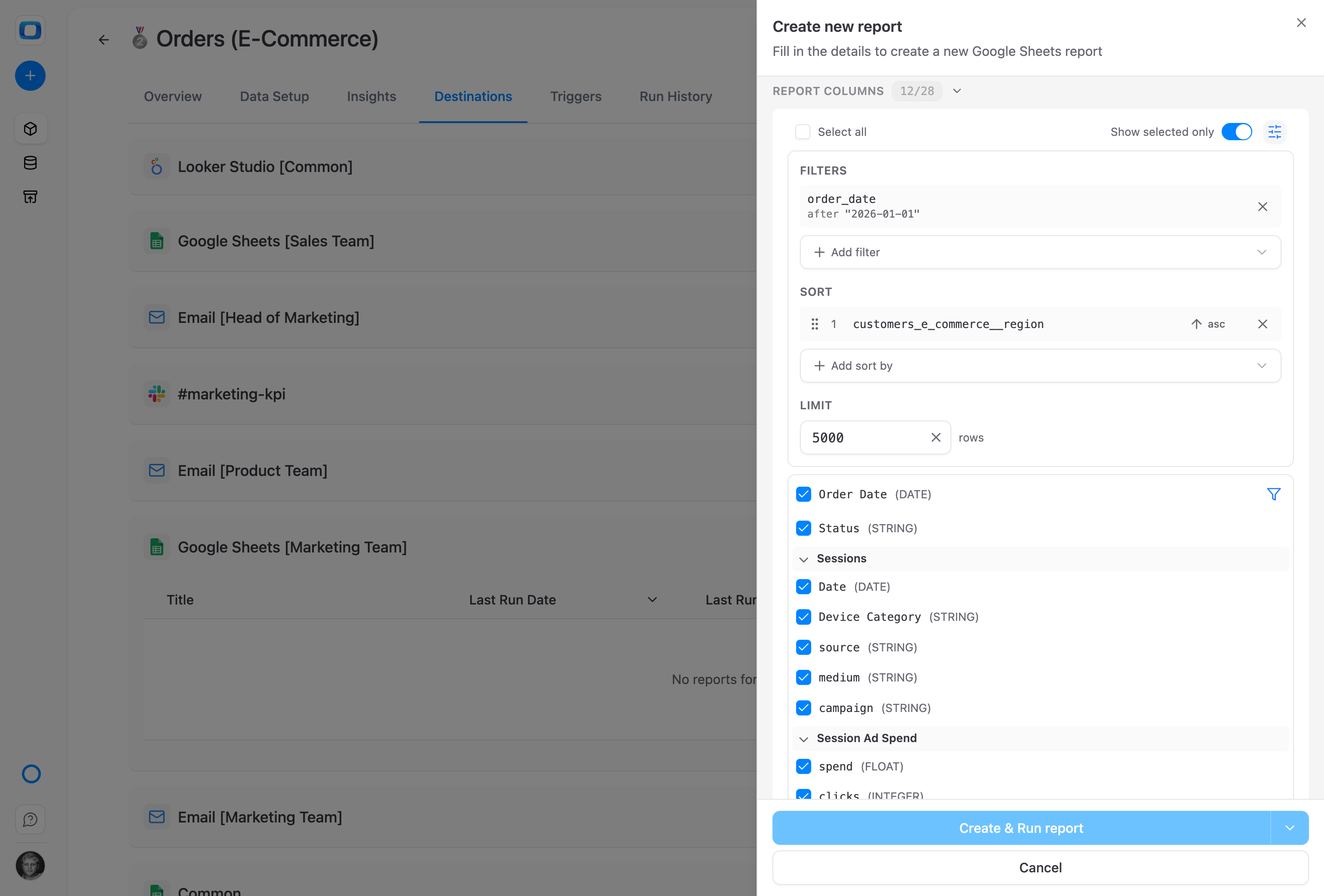
Pick a Data Mart, choose columns (including joined ones from Joinable Data Marts), set a schedule. The destination Sheet stays fresh — no manual exports, no copy-pasting.
Available in every edition. No row limits.
THE BUSINESS USER
Pull live data without leaving your Sheet
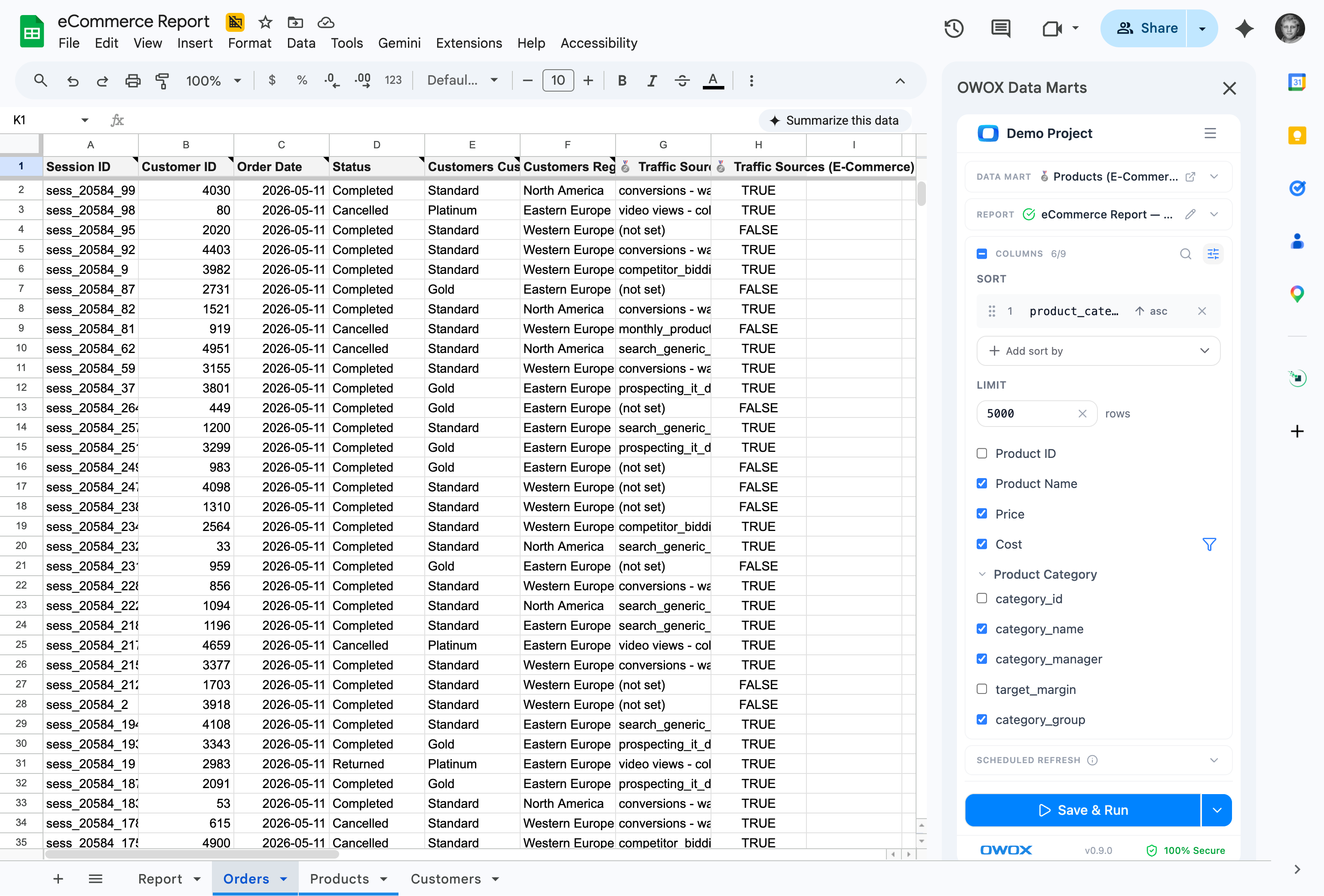
Open the OWOX extension, browse the marts your data team has approved, and pull them in. Joined columns appear right next to native ones — the data team already wired the relationships.
Cloud editions. Browse, pull, refresh — all in Sheets.
Live spreadsheet reporting, governed by your data team — Excel coming soon. The same governed Data Marts will flow into both, with the same joinable columns and the same trust.
For Data Teams3 use cases
For Data Teams
Push governed data, not CSV dumps
Pick a Data Mart, choose columns including joined ones, set a schedule — governed logic flows into Sheets with zero manual exports.
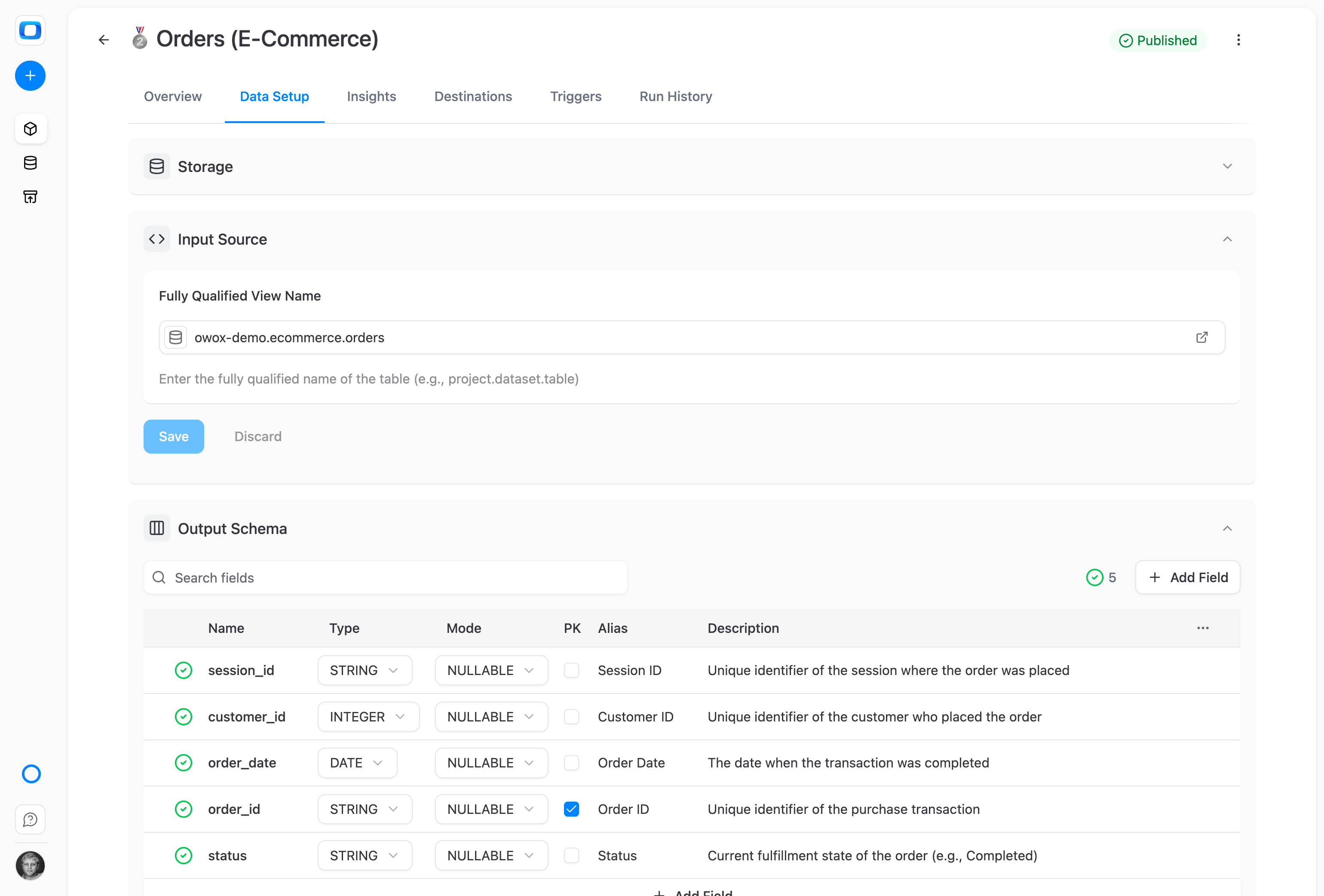
Push a Data Mart to any Sheet
Pick a governed Data Mart from the OWOX UI, choose the destination Sheet, and OWOX writes the data on a schedule. No CSV exports, no copy-paste, no manual refresh.
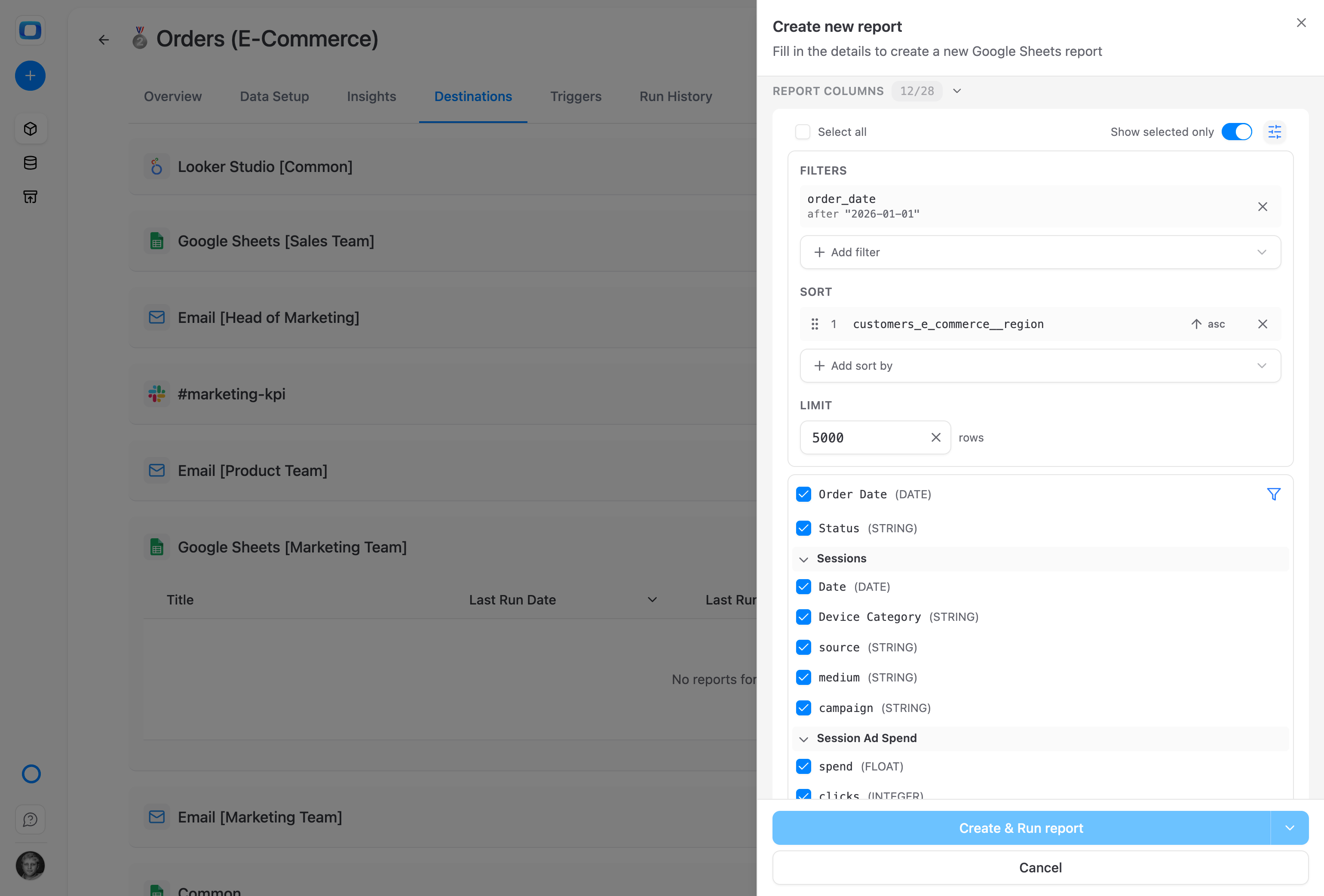
Include joined columns — no SQL at export time
Pull native and joined fields into the same Sheet, in one click. Blend Ads spend with CRM revenue or marketing data with product usage — without writing the join yourself.
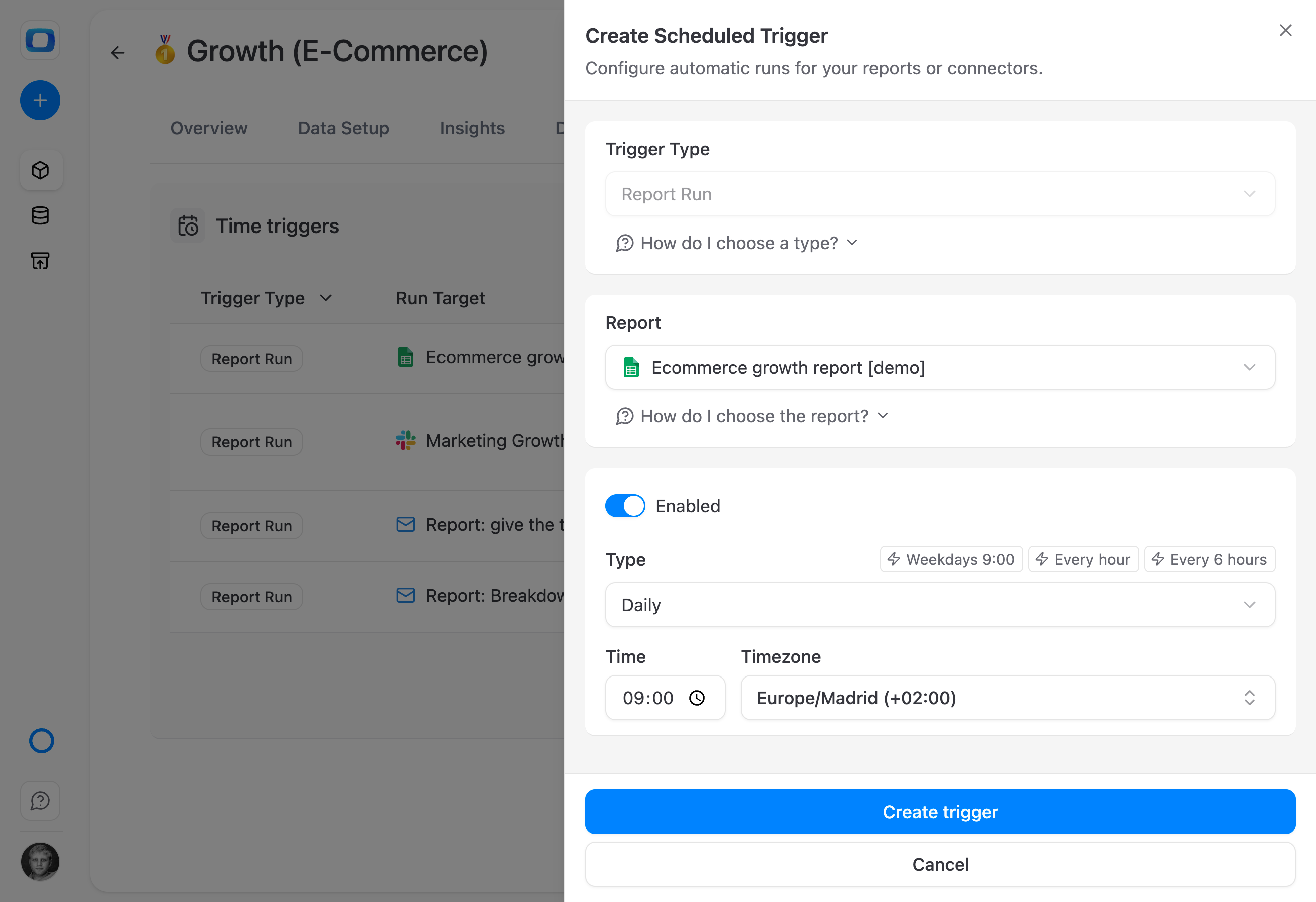
Schedule it once. Always fresh.
Set hourly, daily, weekly, or custom refresh schedules. Your Sheet updates overnight; stakeholders open it in the morning and the numbers are already current.
For Business Teams3 use cases
For Business Teams
Pull live data without leaving your Sheet
Open the OWOX extension, browse approved Data Marts, and pull native or joined columns into your Sheet — no SQL, no tickets.
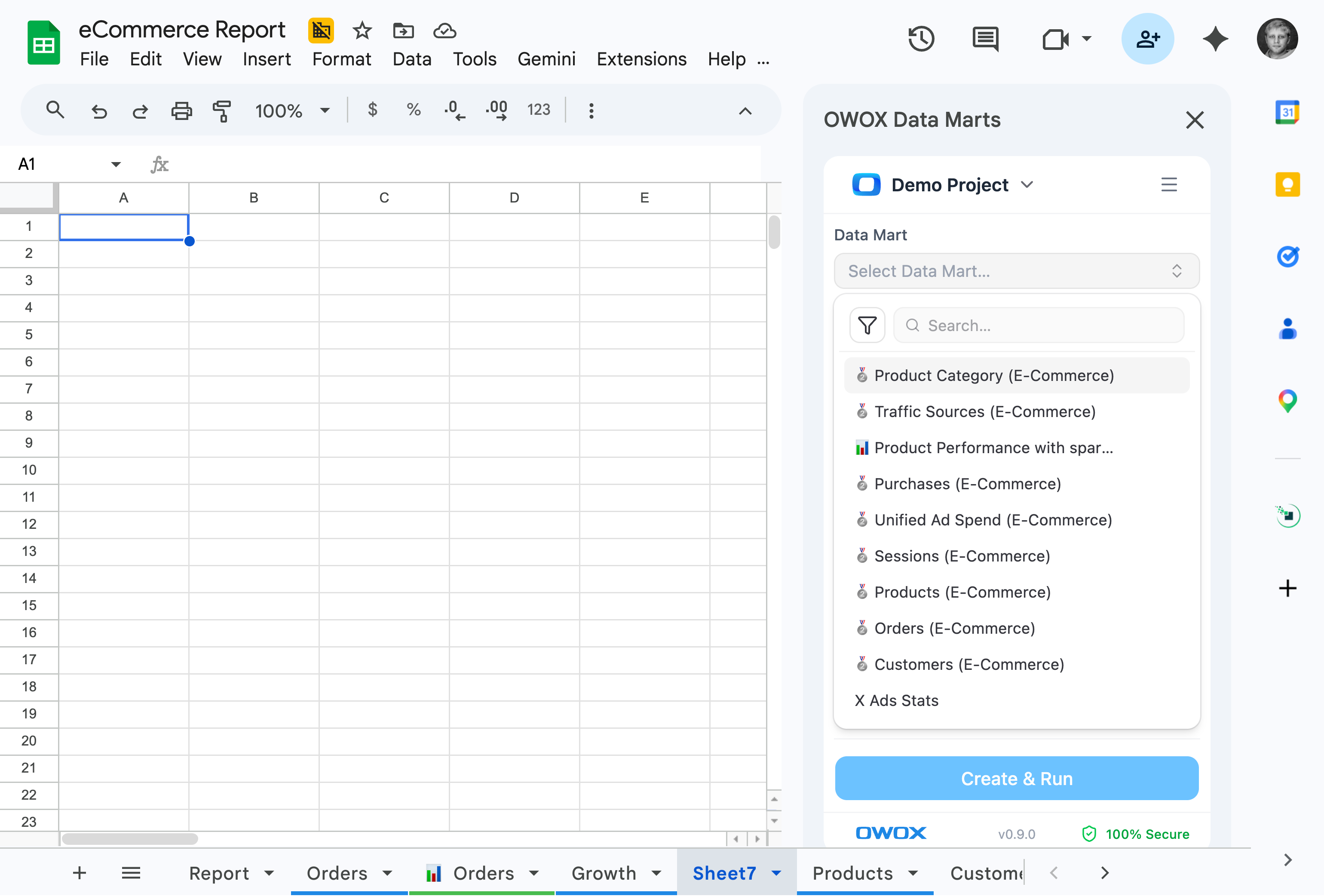
Your data marts, already inside Google Sheets
Open the OWOX extension, browse the Data Marts your data team has made available, and pull them into your Sheet – no warehouse login, no SQL, no ticket.
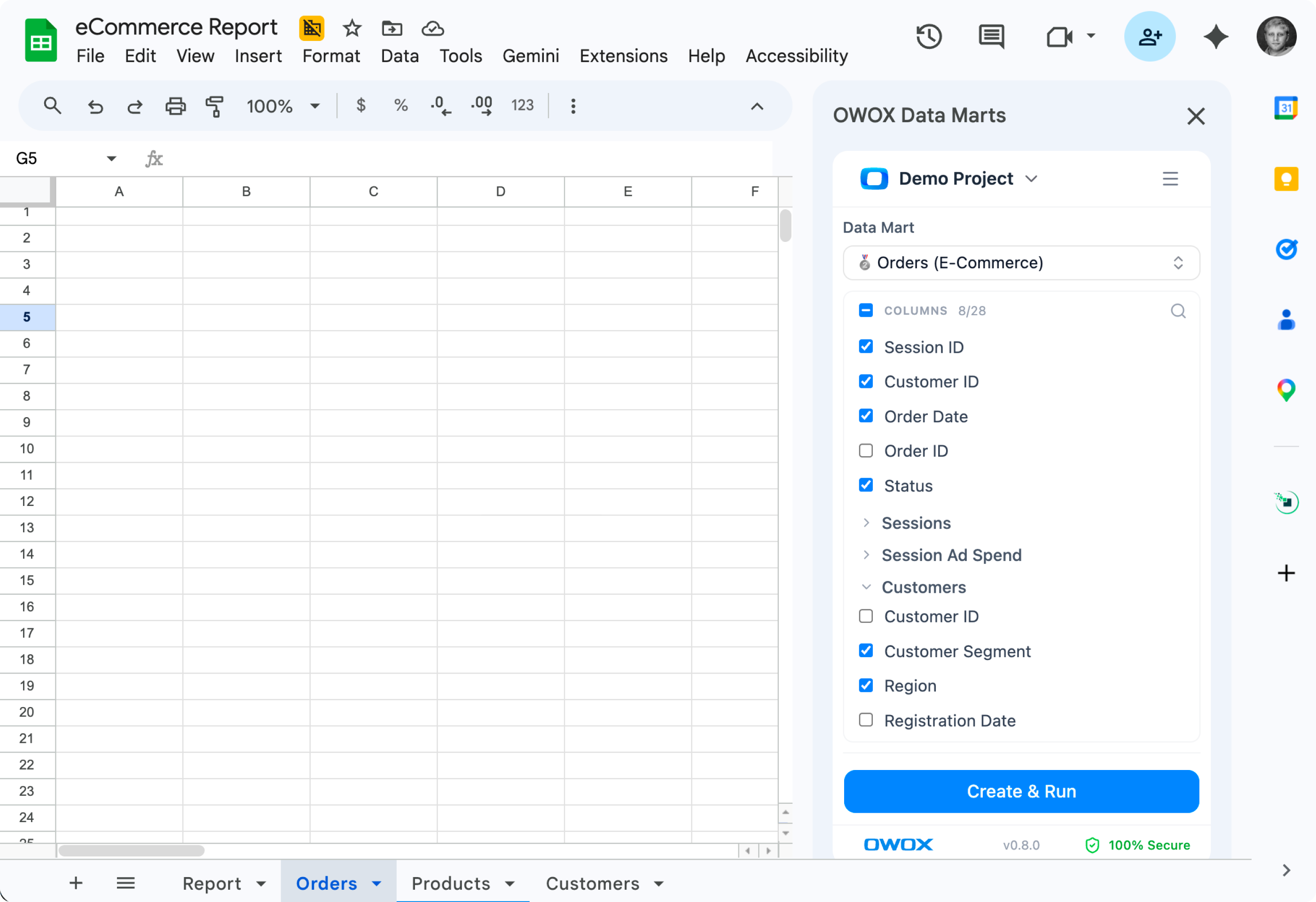
Pick a Data Mart, pick columns — including joined ones
Native and joined columns appear in the same picker. Combine ads, CRM, and product data without writing a single query — and never wait on the data team for a blend.
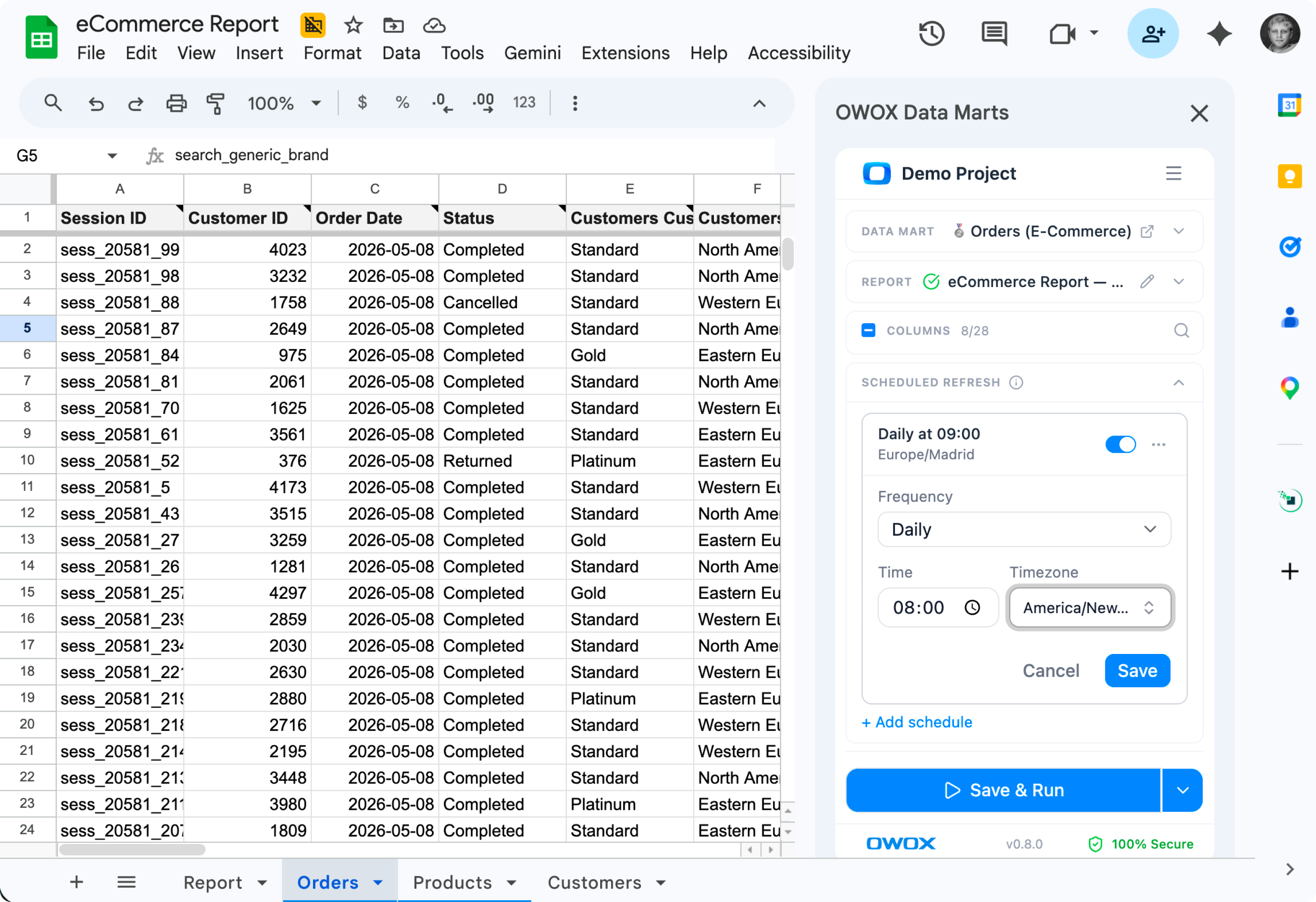
Keep data fresh
Schedule updates exactly when you need the data to arrive. No slack pings, no tickets, no waiting. Just fresh data arriving to your meeting.
Editions
Push is free in every edition. Extension included in Cloud.
Reporting Analyst
Stop being the reporting bottleneck. Hire an Analyst that handles every "quick" question from stakeholders.
Starts at $65 /mo
Hire Reporting AnalystSenior Analyst
Stop running your business blind. Hire a Senior Analyst that unlocks trusted answers to every "why?"
Starts at $90 /mo
Hire Senior Data AnalystEnterprise
Scale self-service analytics with your governance rules and trusted context.
Let's Talk
Talk to SalesWhy teams pick OWOX
Everything business needs

No SQL? No problem.
Empower business users to explore and build reports on their own – no code, no bottlenecks.

Dashboards, no delay
Give client-facing teams instant access to dashboards – without needing analyst help or waiting in line.

Instant answers, zero tickets
Ask questions and get answers right away – in Sheets, in dashboards, or via AI Copilot.

Chat to report
Let clients generate reports by simply asking in plain English. No training, no technical setup required.
FAQ
Frequently asked questions
What's the difference between the push workflow and the extension?
The push workflow lets analysts schedule a Data Mart to write into a specific Sheet at fixed intervals — perfect for recurring stakeholder reports at a known location. The extension lets business users open any Google Sheet, browse available Data Marts, and pull data on demand — perfect for ad-hoc analysis. Both work side by side from the same source.
Can I include joined columns from Joinable Data Marts in a Sheet?
Yes — in both workflows. When you pick a Data Mart, joined columns appear in the same picker as native columns. Whether you're pushing from the OWOX UI or pulling from the extension, you can blend Ads, CRM, and product data with zero SQL.
How does the "Available for Reports" governance work?
Analysts toggle each Data Mart's "Available for Reports" setting. Business users only see Data Marts marked as available inside the extension — so self-service stays inside a governed perimeter. Analysts always see everything from their OWOX UI.
Which editions include this?
The push workflow (analysts scheduling Data Marts to Sheets) is available in all editions, including the free Starter plan and Community self-managed — no row limits, no volume restrictions. The Google Sheets extension (business-user self-service inside the spreadsheet) is available in OWOX Cloud editions.
How fresh is the data?
You control it. Push workflows support hourly, daily, weekly, or custom schedules. Extension pulls run on demand the moment you click. Data lives in your warehouse; OWOX just delivers it.
Is Excel supported?
Not yet — Excel support is on the roadmap. The same Data Marts and joinable columns will work in Excel when it ships.
What users are saying
Every claim has a receipt.
Real things real customers said — each quote pinned to a specific claim, straight from the quotes database.
 Nodari RizunFounder & CEO, Pürblack®
“AI, by the nature of the models, will hallucinate. And because of that, you need something which will create guardrails to ensure that there are no hallucinations, that you can trust your data.”
 Mark SimmonsCMO, Pürblack®
“We had six or seven different channels and no single source of truth — it was almost impossible, a lot of guesswork.”
Nodari RizunFounder & CEO, Pürblack®“We regained time. And time is the one resource that never comes back.”